
Track AI-Driven Traffic
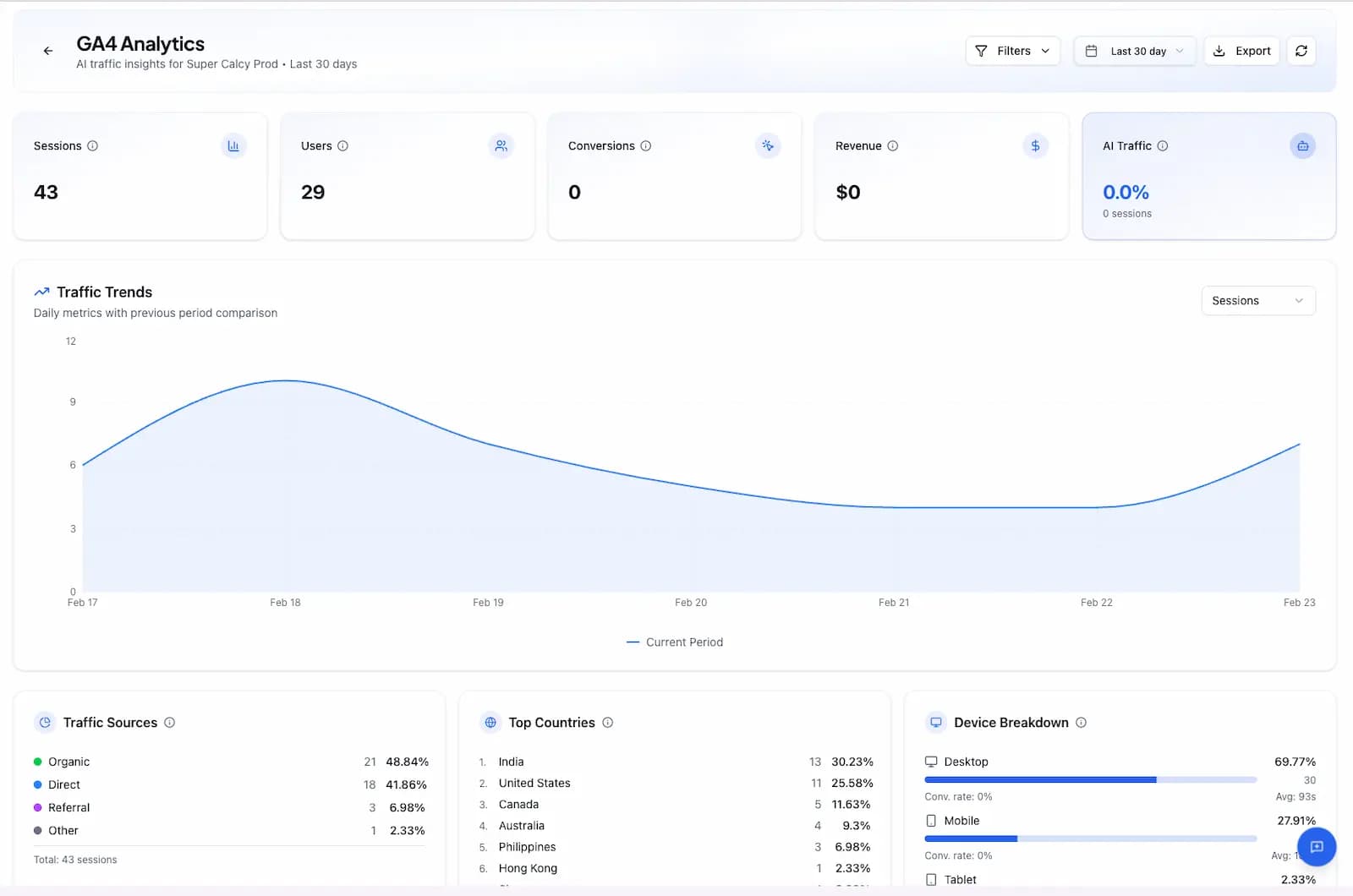
Connect Google Analytics 4 to see exactly which AI platforms—ChatGPT, Perplexity, Claude, Gemini—drive traffic to your site and how they convert into revenue.
AI Platforms Tracked
Track traffic from all major AI platforms
What You Can Track
Comprehensive analytics for AI-driven traffic and conversions
AI Traffic Attribution
See exactly which AI platforms drive traffic to your site - ChatGPT, Perplexity, Claude, Gemini, Meta AI, and more.
Revenue Attribution
Track how AI-driven traffic converts into revenue. Measure ROI of your AI visibility efforts with precise attribution.
Conversion Tracking
Monitor goals and conversions by traffic source. See which AI platforms drive the most valuable user actions.
Traffic Source Breakdown
Analyze all traffic sources - organic search, direct, referral, social, paid, and AI-driven - in one unified view.
Geographic Insights
Understand your global audience by country and region. See where AI visibility drives the most engagement.
Device Analytics
Track performance across desktop, mobile, and tablet. Optimize content for how AI users access your site.
Why Connect GA4?
See the real business impact of your AI visibility. Track how traffic from AI platforms converts into leads, sales, and revenue.
- Track AI traffic from 8 AI platforms in real-time
- Measure revenue attributed to AI-driven visitors
- Compare AI traffic vs organic search performance
- Identify which AI platforms drive conversions
- Monitor page performance for AI referrals
- Export data for custom reporting and analysis
Easy Setup
Connect your GA4 property in just a few clicks
Step 1: Connect Your Account
Click 'Connect GA4' and sign in with your Google account. We use OAuth 2.0 for secure, read-only access.
Step 2: Select Your Property
Choose the GA4 property you want to analyze. We'll automatically detect available properties.
Step 3: View AI Traffic Data
Your data syncs automatically. See AI traffic attribution, revenue, and conversions in your dashboard.
Secure by Design
We use OAuth 2.0 to connect with your Google Analytics account. We never store your Google credentials and only request read-only access to your analytics data. You can revoke access at any time from your Google account settings.
Ready to track AI traffic?
Connect Google Analytics 4 and see how AI platforms drive real business results.