
Analyse Keyword Performance & CWV
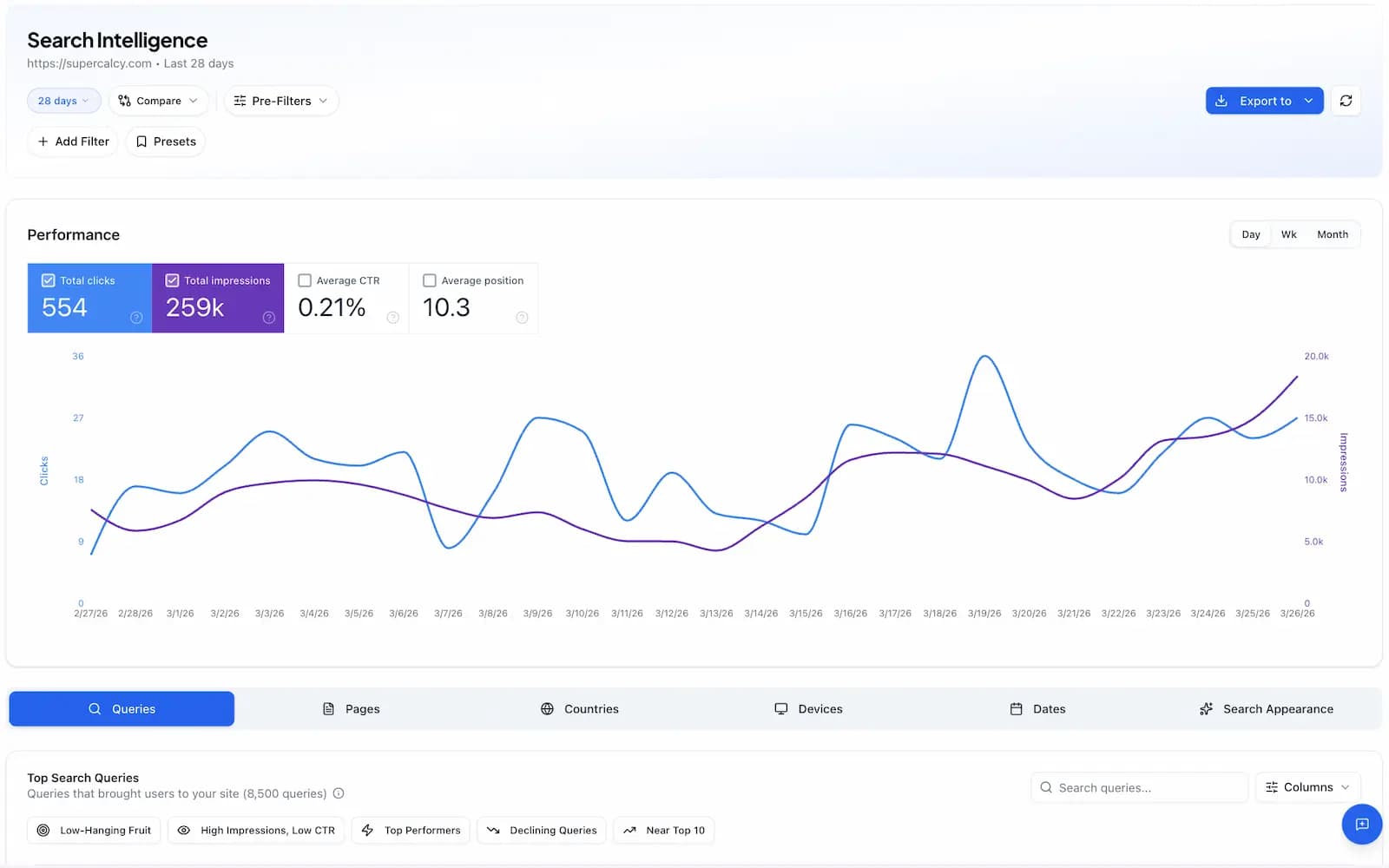
Connect Google Search Console to analyse keyword performance, monitor Core Web Vitals, detect content decay, and discover quick-win SEO opportunities.
Powerful Search Analytics
Everything you need to optimize your organic search performance
Keyword Performance
Track how your keywords rank over time. See clicks, impressions, CTR, and average position for every query.
Core Web Vitals
Monitor LCP, FID, and CLS metrics. Ensure your pages meet Google's performance standards for better rankings.
Branded Query Analysis
Separate branded vs non-branded search performance. Understand how brand awareness impacts organic traffic.
Content Decay Detection
Identify pages losing rankings over time. Get alerts when high-performing content starts declining.
Quick-Win Opportunities
Find keywords ranking 4-20 that could reach page 1 with small improvements. Prioritize high-impact optimizations.
Cannibalization Detection
Identify when multiple pages compete for the same keywords. Fix cannibalization to boost rankings.
Core Web Vitals Monitoring
Track the metrics that matter for user experience and SEO rankings. Monitor LCP, FID, and CLS across your entire site.
LCP
Largest Contentful Paint
Loading performance
Good: ≤2.5sFID
First Input Delay
Interactivity
Good: ≤100msCLS
Cumulative Layout Shift
Visual stability
Good: ≤0.1Why Connect Search Console?
Combine organic search data with AI visibility metrics to understand the full picture of how users discover your content.
- Analyze unlimited keywords with full historical data
- Compare organic search rankings with AI visibility scores
- Identify quick-win keywords close to page 1
- Detect content decay before it impacts traffic
- Monitor Core Web Vitals across all pages
- Analyze branded vs non-branded performance
- Find and fix keyword cannibalization issues
- Export data for custom reporting
Easy Setup
Connect your Search Console property in just a few clicks
Step 1: Connect Your Account
Click 'Connect GSC' and sign in with your Google account. We use OAuth 2.0 for secure, read-only access.
Step 2: Select Your Property
Choose the Search Console property you want to analyze from your verified sites.
Step 3: Explore Your Data
View keyword rankings, Core Web Vitals, and discover optimization opportunities in your dashboard.
Secure by Design
We use OAuth 2.0 to connect with your Google Search Console account. We never store your Google credentials and only request read-only access to your search data. You can revoke access at any time from your Google account settings.
Ready to optimize your search performance?
Connect Search Console and start tracking keyword rankings, Core Web Vitals, and more.